

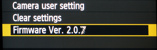
- Firmware 2.0.7 for EOS 5D Mark II
- Thanks & Comments
- Support
.
EOS 5D Mark II – FIRMWARE 2.0.7
As expected and previously confirmed to us by Canon, a new firmware update is now released for the EOS 5D Mark II. According to Canon website, this new update:
- Fixes a phenomenon in which the aperture exhibits abnormal movement when shooting movies in manual exposure mode and Aperture Priority AE (Av mode) using some Canon lenses (such as macro lenses). (*)
- Fixes a phenomenon in which the exposure level shown in the LCD panel differs from what is shown in the viewfinder when shooting still images in manual exposure mode.
- Fixes a phenomenon in which the Wireless File Transmitter (WFT-E4 or WFT-E4 II) may not automatically power off when used for FTP transfers.
(*) Note: This is the “Iris jitter” issue that we have been investigating since end of March, published on our first report of April 5th and further report update.
Those reports, along with users’ feedbacks were sent many times to Canon USA and Canon Europe to show Canon that this issue was a fact.
As previously explained, it not only affects (affected) Macro lenses, but also some few other non-macro lenses. For your convenience we published a list of lenses affected here.
- DOWNLOAD Firmware 2.0.7 from here:
http://web.canon.jp/imaging/eosd/firm-e/eos5dmk2/firmware.html
IMPORTANT: Please take the necessary precautions during the update process. As mentioned in the download page: “Before downloading the firmware update, please be sure to read the entire contents of this page.”
THANKS & COMMENTS
We want to thank Canon for making this update. We are very glad that Canon is really “listening to customers” (not always easy to make them hear, but they actually do and THAT makes a real difference, so thanks once again Canon).
We also thank those users who participated and helped with their time to make video tests showing the iris issue and also giving feedbacks on macro and non macro lenses.
As we published on April 5th in our original Report and later in the Report Update, the “iris jitter” issue was detected and fully confirmed in firmware 2.0.4.
We spent lot of time, to make the tests and further reports as much detailed and clear as possible, to discard any possibility of cameras or lenses failures. As we stated many times after so many tests, this was a firmware issue, and NOT a lens issue.
Now it’s time to update!
SUPPORT
If you appreciate our efforts and find this site helpful, please consider supporting us to keep this site running making your purchases through the links posted on this site. There is no additional cost to you at all.
Thanks a lot in advance.
-HD Cam Team (Formerly “5D Mark II Team”)





May 25, 2010 at 9:45 AM
And what about 7D users? I just did a video with my 7D and 100 mm 2,8 macro (not the L series) and I got the exact same problem. Couldn’t do any focus pull shots as they were ruined with the iris changing. Please Canon, don’t forget the 7D!
May 26, 2010 at 3:37 PM
All users of 7D, 1D Mark IV and T2i/550D are more than welcome.
We need more feedbacks, detailed information and if possible some video tests to see (and eventually show) if the issue is really present in the latest firmware for the 7D.
We don’t have a 7D at this moment so we can’t test it..
But we’ll help all users if we can.
May 25, 2010 at 2:41 PM
I did some tests with the new 2.0.7 firmware but the problem is still there!
I did the test with a EF 24-105 f/4 L.
The iris jitter doesn’t occour when manually changing the focus. The iris weird behaviour can be seen when changing the aperture while recording a movie in Manual mode.
Here’s a link to a video that shows the problem:
[youtube=http://www.youtube.com/watch?v=KKMuX9m7yyo]
According to canon the new firmware should have fixed the bug, but in my case it didn’t.
What about you guys?
Thanks
nicolo
May 30, 2010 at 3:04 PM
I have installed 2.0.7 and while it fixed the aperture jitter when adjusting focus I still have the same problem that you have with erratic iris settings in movie mode. Here is my demonstration of the effect:
http://www.youtube.com/watch?v=euaDn3n5qp8
May 30, 2010 at 3:06 PM
Note that I don’t have the 24-105. I have only seen the problem with my 100/2.8 macro (non-L)
May 25, 2010 at 5:14 PM
I got the 2.0.7, but it’s 9.5 megs _not_ 9.7 megs as the Canon site says it should be. I will wait to hear from others b4 using it.
May 25, 2010 at 5:30 PM
Please check this from Canon website:
” Please download the compressed, self-extracting file that matches your computer’s operating system and create the following firmware update file.
Extracted Firmware Update File
File name : 5d200207.fir
File size : 9,754,348 bytes ”
If the extracted file size does not match the indicated by Canon, then download it again (it should not happen because it’s contained in a self-extracting file that is supposed to somehow “guarantee” the download was not corrupt, but the File Size MUST match).
May 27, 2010 at 12:39 PM
2.0.7 updated, correct file size, very quick test with Tamron 90mm SP Di f2.8 and while videoing and changing focus the exposure jumped approx 2/3rds stop darker (only once each time focus changed) Manual control 1/50 f5.6 but with auto iso. None of L’s seemed to do it (17-40, 24-70 and 70-200 f4 IS).
Will test some more without auto iso and report back.
May 27, 2010 at 12:54 PM
Thanks for your feedback.
This time you experienced an iris “jump“, instead of the previous reported “iris jitter” (which in fact was a tremor of the iris but didn’t change the final aperture value , nor iris position, after it happened)
Let us know if you still experience issues in Full Manual mode and ISO set to fixed value.
Thanks!
May 27, 2010 at 7:30 PM
Ok, tested 2.0.7 on fixed iso (100) full manual. L’s seem fine, and no apparent problems, Tamron 90mm SP Di f2.8 is also fine on fixed iso with no iris flutter. Going back to auto iso and L’s still good, but Tamron flicks up and down darker and lighter with noticeable amounts when changing focus – no iris noises however so looks like that is fixed, but it seems overly sensitive to focus input changing the iso.
Not the end of the world, easily worked around as on fixed iso most of the time, but something to be aware of.
May 28, 2010 at 3:27 AM
Thanks a lot for your tests and feedbacks.
Much appreciated!
Best regards.
June 1, 2010 at 3:10 PM
There has been some improvements with the Zeiss 100/2 MP and Zeiss 50/2 MP, but the problem is still there. It happens less often now, but does occur when you point the lens at a bright source of light.
June 1, 2010 at 3:27 PM
Hi, it’s pretty weird that a bright source of light may have some influence on the iris issue, because the “iris jitter” is a phenomenon that can be reproduced without any light source, as explained in our Report Update.
Are you completely sure your camera is in “M” mode and Live View is set to “Stills+Movie” >> “Movie Display“?
Thanks.
June 2, 2010 at 11:21 PM
No, it’s not in M mode but in Av mode. So it may not be the same issue that has been fixed. When using live view in AV mode.. ah.. ok, sorry that’s me being stupid. Forget about it.
It’s in Av-mode in combination with Stlls+Movie + Exposure simulation. Apparently part of the simulation is changing the aperture depending on the amount of light coming in. I suppose they simulate a higher shutter speed with it. As a result, depending on changes in light the iris can “jump” around.
The thing is, it was much more prevalent before the 2.0.7 update. It happened at almost any light while now only with changes from and to very bright light sources.
So I suppose it’s all normal. Sorry for the false alarm and thank you for your work.
October 26, 2010 at 2:13 PM
I want to ask where is the 100 ISO setting in Manual mode. My settings go from Auto 200 250 …. there is not 100 ISO manual option in 2.0.7
October 26, 2010 at 2:52 PM
Hi,
Your camera is probably with High Light Tone priority enabled (in that mode the ISO can’t be lower than 200). You have to disable it in order to use lower ISO values.
Since the HLT priority function tends to introduce some noise in shadows, we suggest to use it with care. It’s something that can be useful in some situations, retrieving more detail in the highlights (usually at the cost of some noise in the shadows), but not to be used in all situations if you care about noise.
Also avoid using ISO values 1/3 step above 100,200, 400, etc. (that means avoid using ISO 125, 250, 500, etc.), because those are the noisiest ISO values. For instance ISO 160 is less noisy than ISO 125 and ISO 200, and even less noisy than ISO 100 (but with ISO 160 you’ll get bit less dynamic range than ISO 200, noticeable in less detail in the highlights. As always, it’s a matter of “balance”…) It’s a whole topic indeed.
Best regards.
